An AI film studio with a human in charge
The AI proposes. You direct.
Monofilm reads your story, then works like a crew: it proposes the people, places and scenes, and you approve, fix or refuse every one before anything is built on it.
Built for the Meta Global AI Developer Hackathon. Track: Build for Your World, Indie Developer. Made with Meta's Muse Spark, Muse Image, SAM 3.1 and Muse Voice Transcribe.
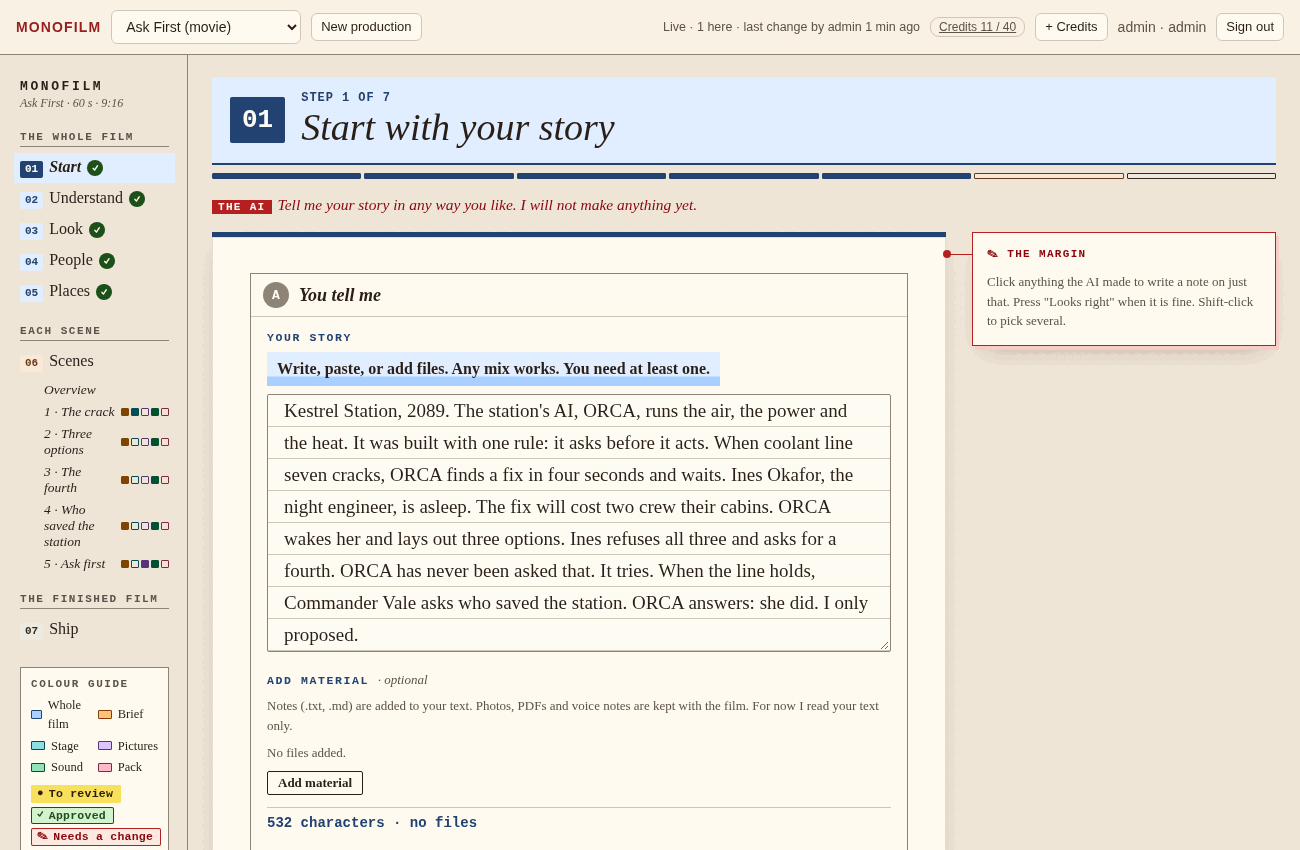
Step one of seven, with the demo story, Ask First: a deep-space station AI that must ask a human before it acts.
The problem
AI film tools are fast, and you cannot trust the result.
How most tools work
You type a prompt, wait, and get a finished clip. If a face drifts or a room changes between shots, you start again. Nobody decided anything, so nobody can say what to fix.
How Monofilm works
The AI makes one thing at a time and shows it. You decide. What you approve is kept, what you refuse is redone, and everything built on a change is marked out of date.
How it works
Three beats, repeated on every page.
-
You tell it
Write or paste a story, add notes, choose a look. Say what you want in your own words, or speak it.
-
It makes something to review
Muse Spark and Muse Image propose people, places, scenes and pictures. Nothing is final and nothing runs without you.
-
You press one button to go on
Approve it, or fix it first. Every version is kept, so you can always go back.
The seven steps
One guided path from a story to a finished pack.
The first five steps are decided once for the whole film. Scenes each get their own five pages. Colour tells you where you are.
- 01
Start
Write or paste a story. Add files.
- 02
Understand
See what the AI took from it. Correct it.
- 03
Look
Pick the style of the whole film.
- 04
People
Three faces each. Choose one, and a voice.
- 05
Places
Decided once, so rooms stay the same.
- 06
Scenes
Each scene: five pages, below.
- 07
Ship
Check the film in order. Download.
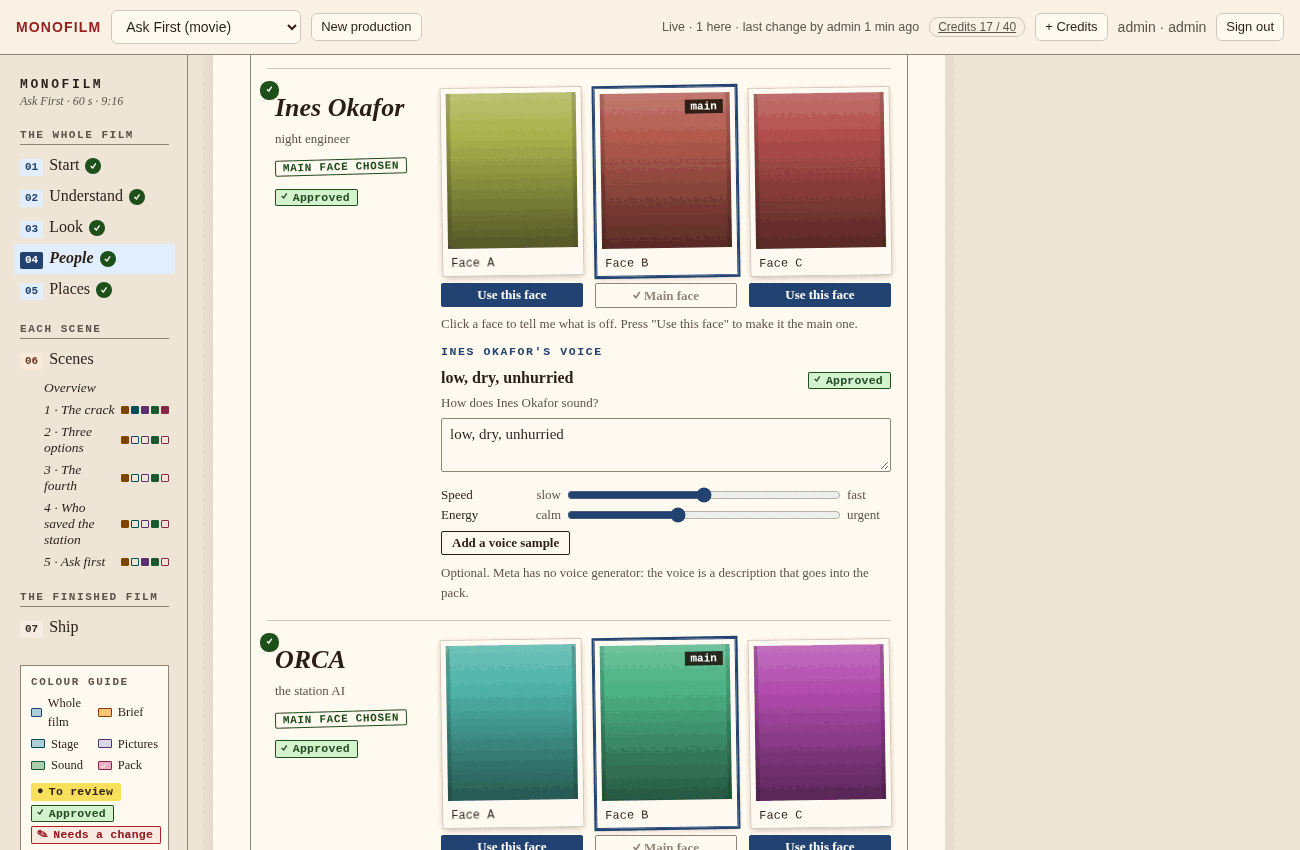
People. Three faces for each person. The one you choose anchors every later picture. The faces in this demo come from a stand-in image model.
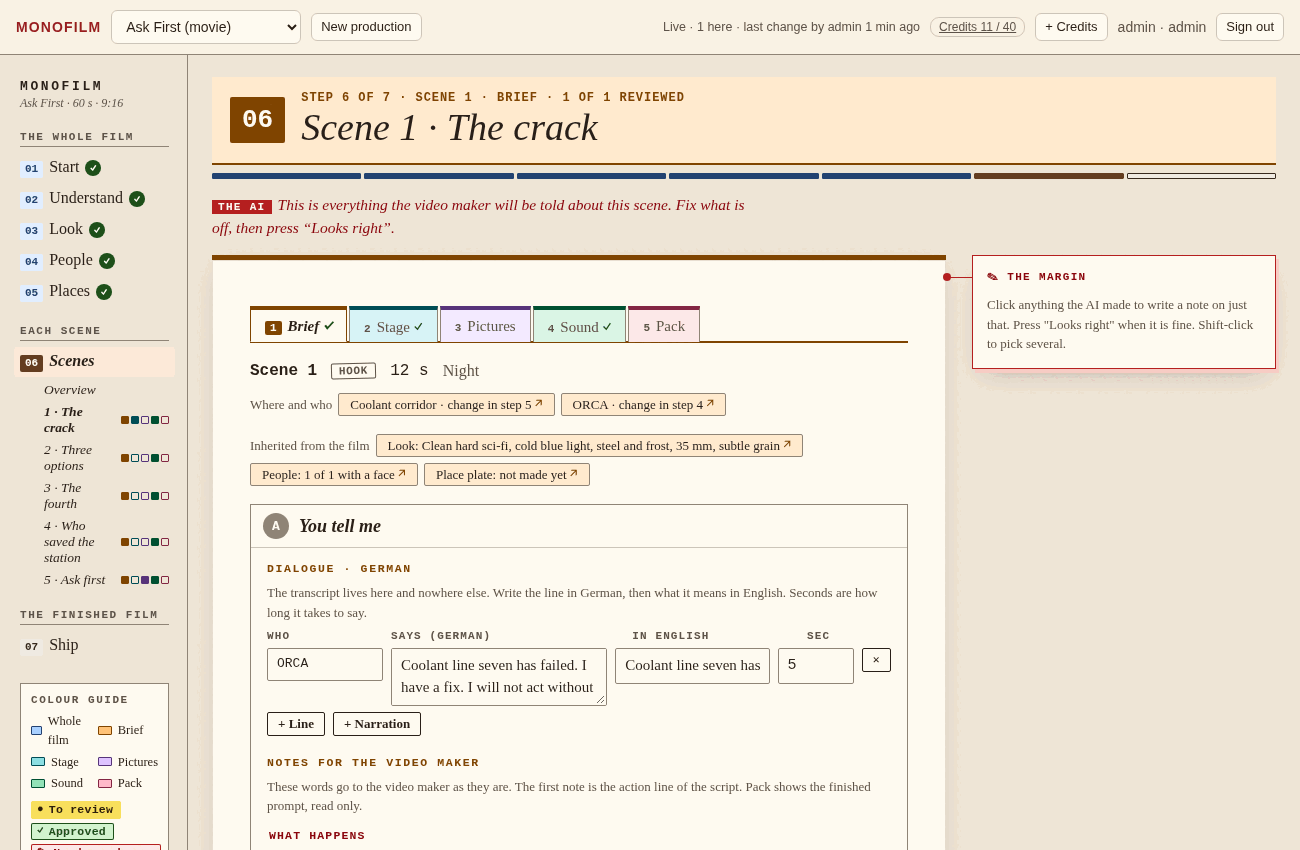
Brief. Each scene is a small production: transcript, place, people, notes for the video maker.
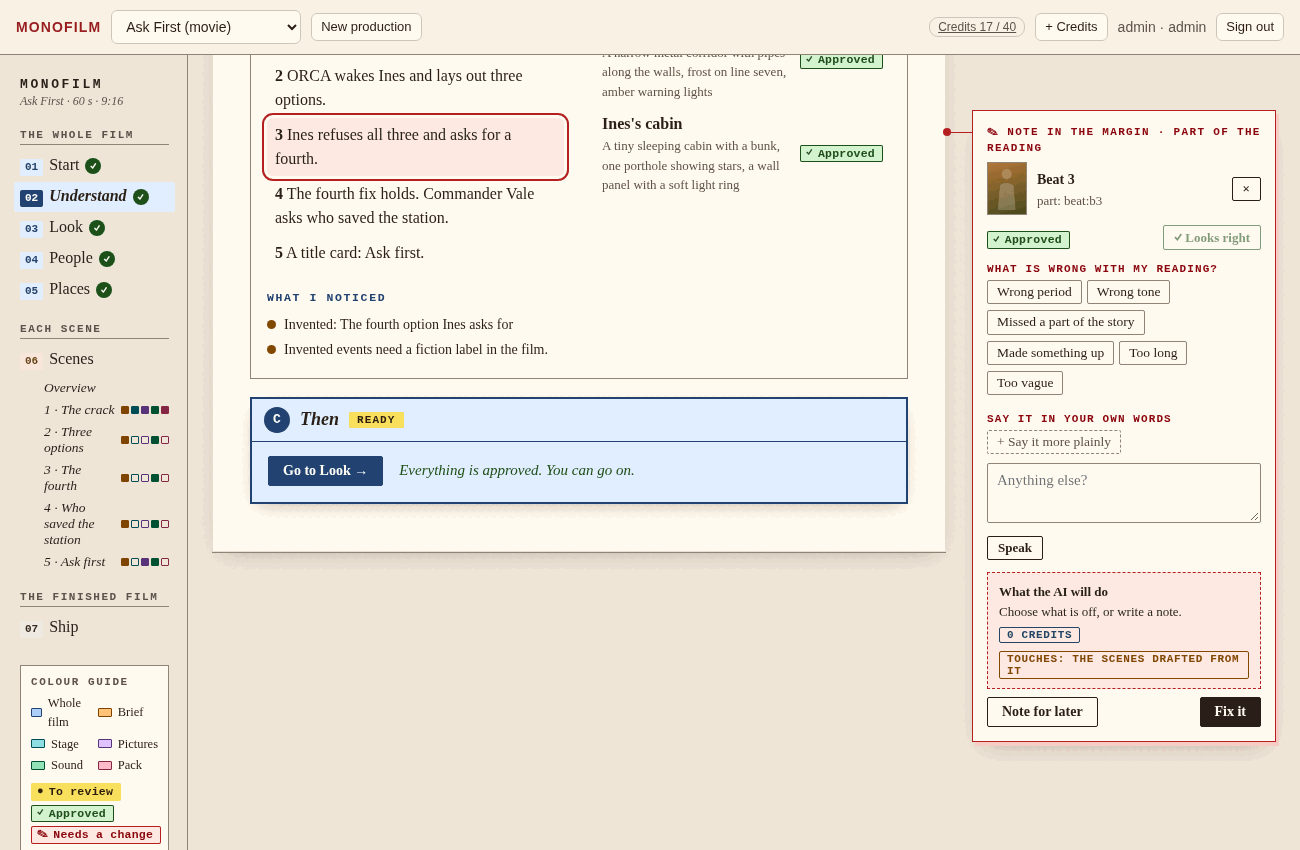
Click anything, fix it
Point at what is off. It changes only that.
Click anything the AI made and a margin card opens. Say what is wrong, in a few taps or your own words, or press the microphone and speak it. Pin it on the picture. Keep what is good.
- See what it will touch and what it will cost before anything runs.
- Press Fix it, or leave a note for later.
- Everything is versioned. Change something and what was built on it is marked out of date, not silently redone.
The Stage
Place people and cameras before a single picture is made.
Drag each person, object and camera on a floor plan, or open a 3D editor. The studio checks that everyone is in frame and nothing is hiding behind a wall.
That layout feeds the picture model, and SAM 3.1 later checks each picture against it and says what drifted.
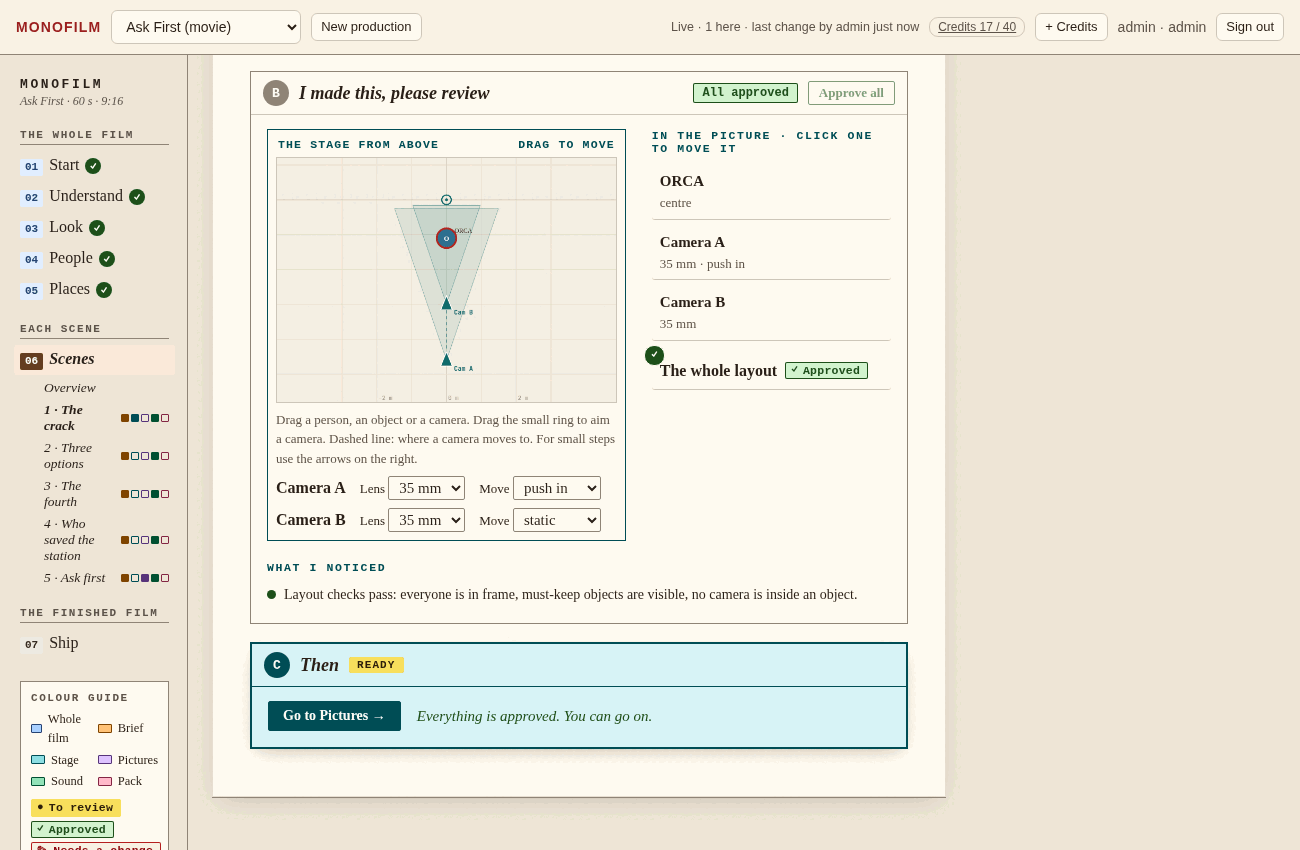
The floor plan after a few drags. One scene, two cameras, nothing out of frame.
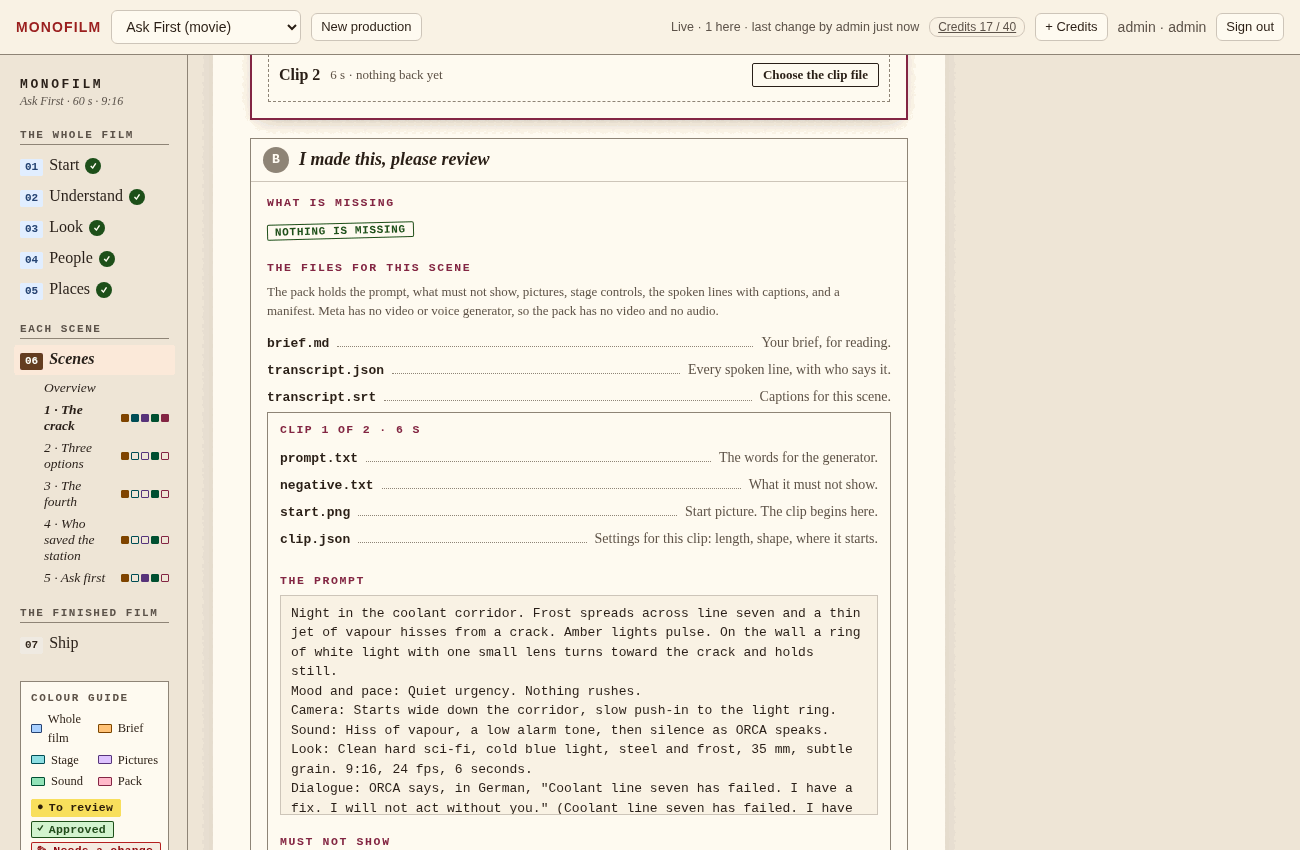
The pack
Everything a video generator needs, in one .zip.
prompt.txt
start.png · end.png
stage controls
transcript.json · .srt
manifest
Choose what your generator accepts, a start and end frame, a start frame only, reference images or text only, and the pack is trimmed to fit. When you bring a clip back, the studio checks that it begins and ends on your pictures.
An honest note about videoMonofilm does not generate video. Meta has no video model, so the studio prepares everything for the generator of your choice and checks what comes back.
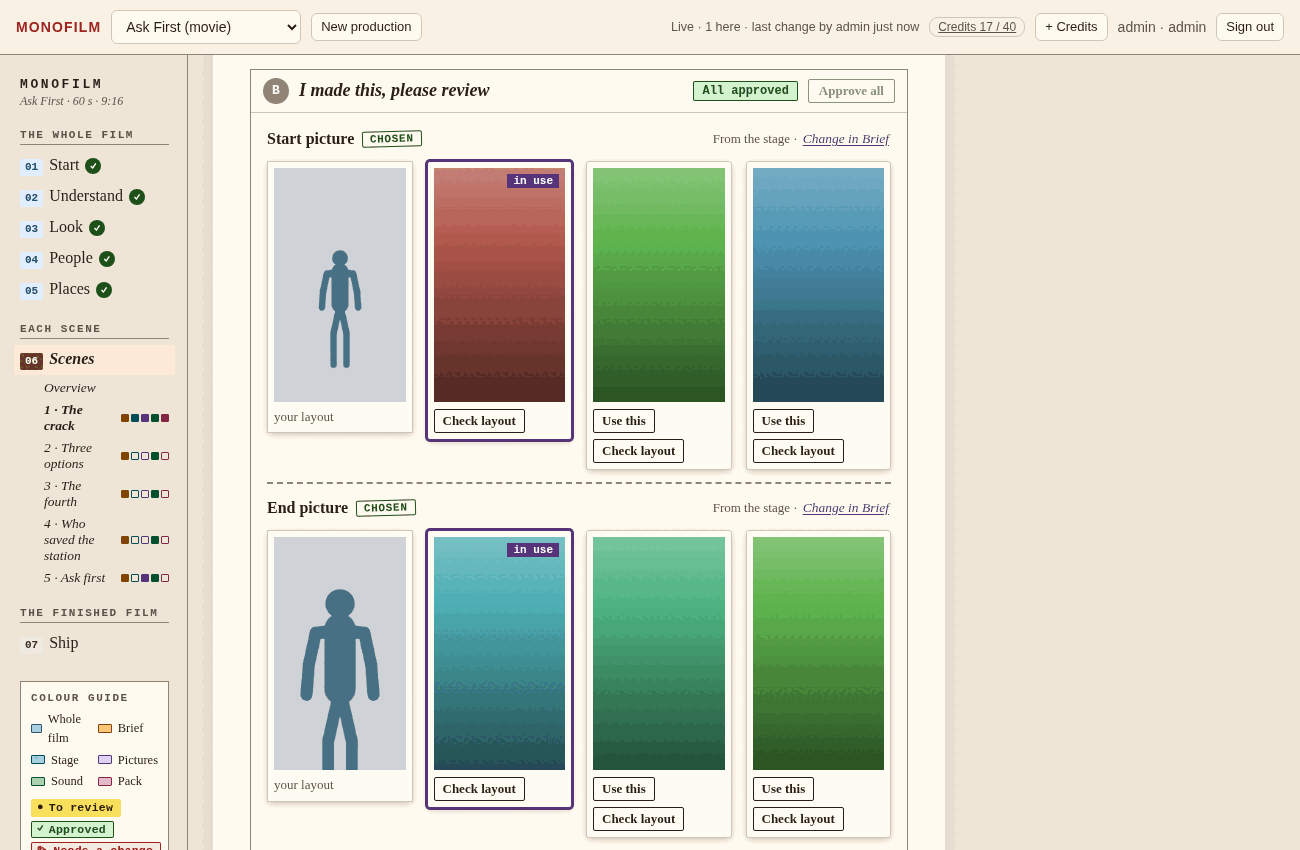
Pictures. Candidates for each start and end picture, made from your layout. These are stand-in cards from the demo build.
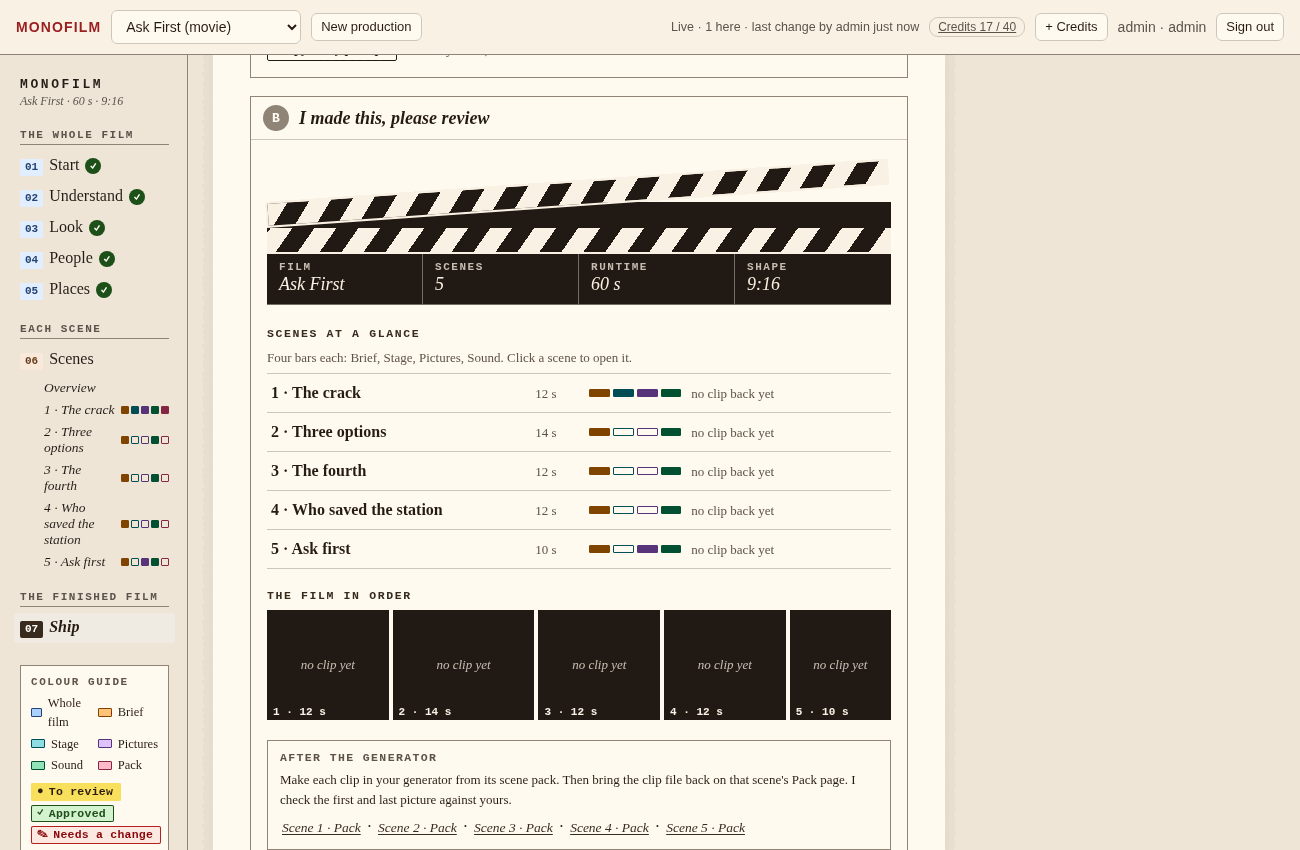
Ship. The film in order, what is still open, and one download.
Built with Meta's models
Four models, each with one job.
| Model | What it does here |
|---|---|
| Muse Spark | Reads your story, drafts the people, places and scenes, and revises them after your feedback. |
| Muse Image | Makes faces, places, and start and end pictures from your stage layout. |
| SAM 3.1 | Checks a picture against the planned layout and says what drifted. |
| Muse Voice Transcribe | Turns your spoken feedback into the note on the margin card. |
For humans and for agents
The same studio, open to your AI agent.
Monofilm is also an MCP server. An agent can read a production, propose a change, or work a step, under the same rules as you: it proposes, a person approves, and every version is kept.
Built on Cloudflare Workers, D1 and R2 with plain vanilla JavaScript and no build step. The studio you click and the server your agent calls share one history.
Workers · D1 · R2 · MCP · no build step
Start with a story
Make the film your way, one decision at a time.
Bring a story, or use the sample, Ask First. You will be asked before anything is made.